 Development
Beauty salon landing
A ready beauty salon landing page in HTML and CSS: services, prices, pictures and a phone version
Pricefrom $22
The money is reserved when you pay and released only once you accept the work.
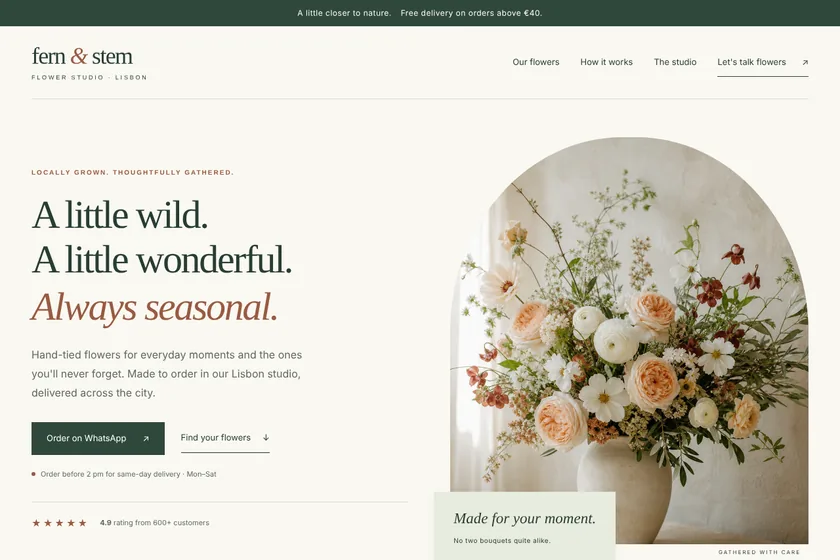
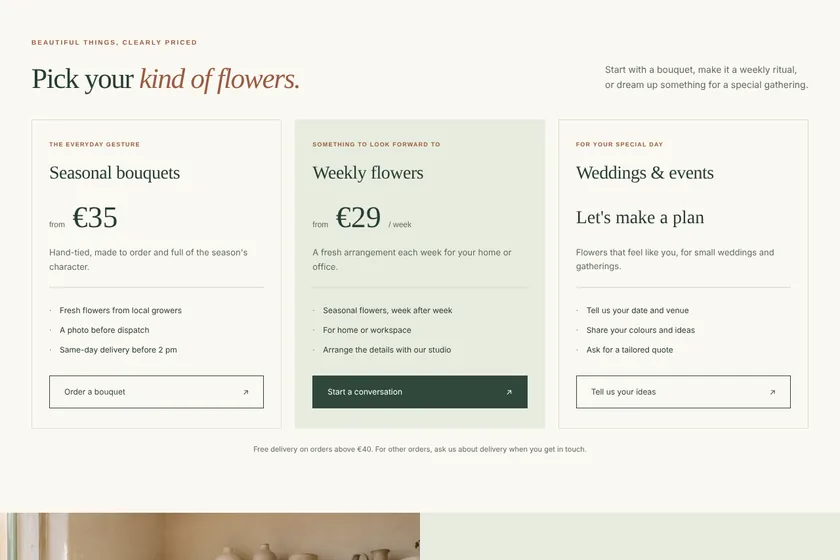
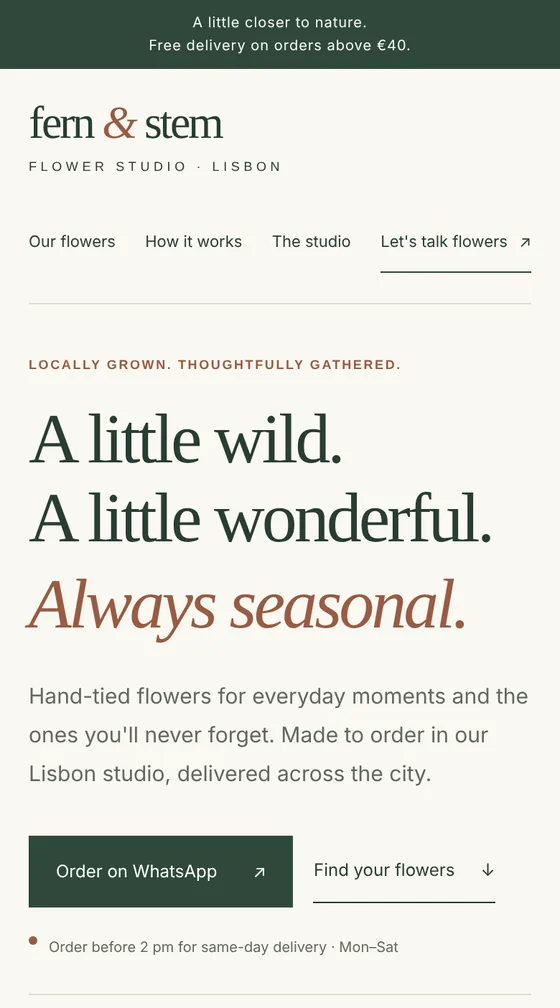
Files: a ZIP archive with index.html, the styles, a little JavaScript and 5 pictures drawn for the page: 8 sections, ready to upload to the client's hosting. The pictures here are screenshots of the page.
Client: Fern & Stem, a small flower studio that delivers bouquets across Lisbon. Task: a landing page with their bouquets, weekly subscription and event flowers, prices, delivery terms and WhatsApp ordering, in cream, sage and terracotta.
The client and all details are made up.
A dental clinic landing page helps a patient decide to call: it shows the treatments you offer, your prices if you want them public, your dentists, the address and how to book. Send us your services, prices, opening hours and contacts, and we write the texts, draw calm pictures and build the page in HTML and CSS that works on phones. The appointment button calls the clinic, opens WhatsApp or a messenger, or leads to the online booking you already use; the page has no booking system and no forms that send data. We state only your facts: no promises of painless or guaranteed results, no medical advice, and licences or reviews only if you give them.
The clinic name, address, opening hours and phone; the treatments for the page, with prices or "from" prices if they should be public; your dentists' names and fields, if they should be shown; how patients book: phone, WhatsApp, Telegram or a link to your online booking. Your licence number and real reviews only if you want them on the page. Optionally up to 5 pictures as PNG, JPEG or WebP: your logo and photos of the clinic and doctors that you have the right to use.
We will ask you:
| Packages | BasicClinic landing of 5 sections$21 | StandardClinic landing of 8 sections$39 | PremiumClinic landing of 12 sections$67 |
|---|---|---|---|
| Deadline | 1 day | 2 days | 2 days |
| Revisions | 1 | 2 | 3 |
| Pages | 1 | 1 | 1 |
| Sections | up to 5 | up to 8 | up to 12 |
| Pictures drawn for the page | 3 | 5 | 8 |
| Phone version | Yes | Yes | Yes |
| Appointment button | Phone, messenger or your link | Phone, messenger or your link | Phone, messenger or your link |
| Order Basic | Order Standard | Order Premium |
You pay when you order, but the money is released only for accepted work.
The page has no booking system of its own. The appointment button calls the clinic, opens a messenger or leads to the online booking you already use, for example the link from your clinic's scheduling service. Put that link in the brief.
We explain in plain words what each treatment is, from your brief, but we don't promise results, painless treatment or how many years an implant lasts, and we give no medical advice. Before-and-after photos go on the page only if they are your own and your patients agreed.
Yes, exactly as you give them: fixed prices, "from" prices, or no prices and a "call to ask" button. We never make up prices or discounts.
Yes. The page is plain HTML and CSS, so a name, text or photo can be changed in any code editor. Within your package you can also ask us for changes on the order page.
No. You get an archive to upload to your hosting so that index.html is at the top of the site. Hosting and a domain are not included, and you get the code, not a Figma or Photoshop file.
Did not find your answer?
Development Development
 Development
 Development