Social media image sizes in 2026: a cheat sheet for covers and banners
A banner that looks perfect on your screen can be cut off on a phone, blurred in the feed or hidden under a profile photo. Most of these problems come from the wrong size. Here is a cheat sheet of the sizes that work on the main platforms in 2026, and a few rules that keep your images sharp and readable.
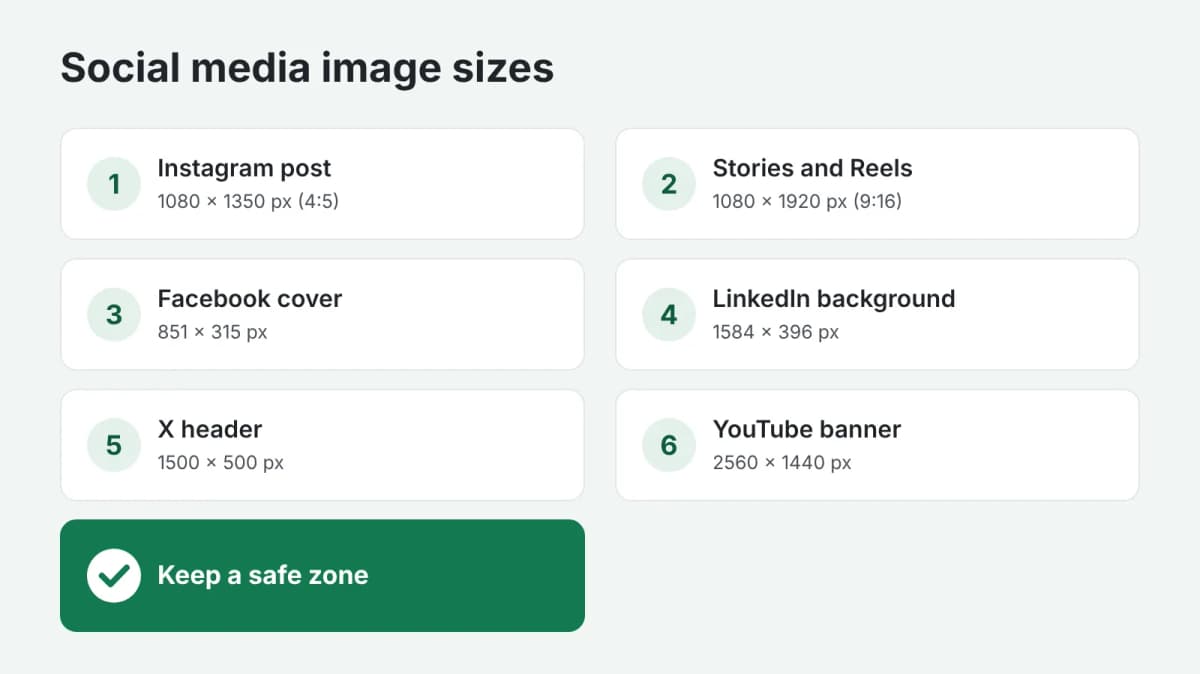
- Feed post, portrait: 1080 × 1350 px (4:5). Takes up the most space in the feed.
- Feed post, square: 1080 × 1080 px (1:1).
- Stories and Reels: 1080 × 1920 px (9:16). Keep text away from the top and bottom 250 px, where the interface covers it.
- Feed post: 1080 × 1350 px or 1080 × 1080 px.
- Page cover: 851 × 315 px on a computer; on a phone the sides are cut, so keep the important part in the center.
- Event cover: 1920 × 1005 px.
- Feed post: 1200 × 627 px horizontal or 1080 × 1350 px vertical.
- Personal profile background: 1584 × 396 px.
- Company page cover: 1128 × 191 px.
X (Twitter)
- Post image: 1600 × 900 px (16:9).
- Header: 1500 × 500 px. The profile photo covers part of the bottom left corner.
YouTube
- Channel banner: 2560 × 1440 px. Only the central area of about 1546 × 423 px is visible on every device: put the name and the message there.
- Video thumbnail: 1280 × 720 px.
- Pin: 1000 × 1500 px (2:3).
Rules that work everywhere
- Safe zone. Keep text and logos away from the edges: every platform crops differently on different screens.
- Large text, few words. Most people see your banner on a phone, often for a second. Five to seven words is usually the limit.
- Contrast. Light text on a dark background or the other way round; avoid text over a busy photo.
- Export at full size. Upload exactly the recommended size or larger, in PNG for text and graphics and JPG for photos, so the platform does not have to stretch the image.
- One image, several formats. For a campaign, prepare the same design in square, vertical and horizontal versions instead of cropping one file.
Platforms change their layouts from time to time, so check the current sizes in each platform's help pages before a big campaign.
In short
The right size and a safe zone around the text solve most banner problems. If you need a ready set, order social media banners: you describe the campaign and the platforms, and get banners and covers in the formats you need. Payment is released only after you approve the work.