 Design
Webflow homepage mock-up
Homepage mock-up in the style of your Webflow template
Pricefrom $10
The money is reserved when you pay and released only once you accept the work.
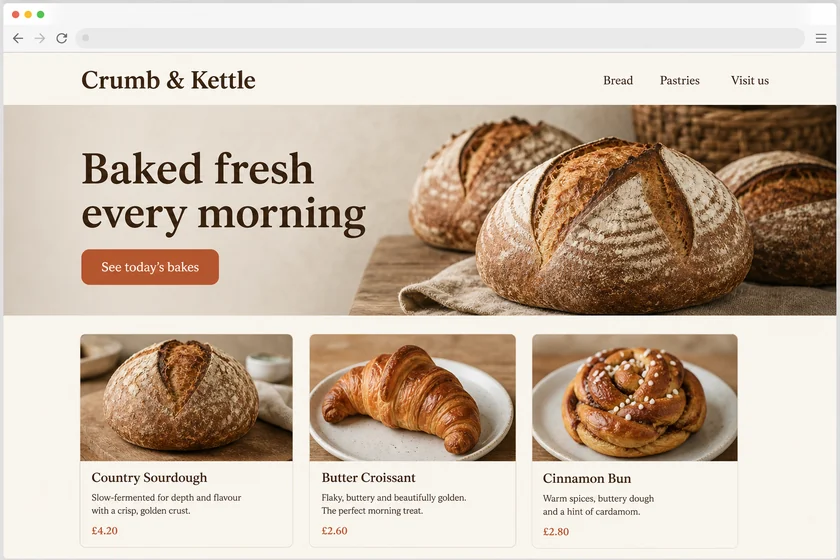
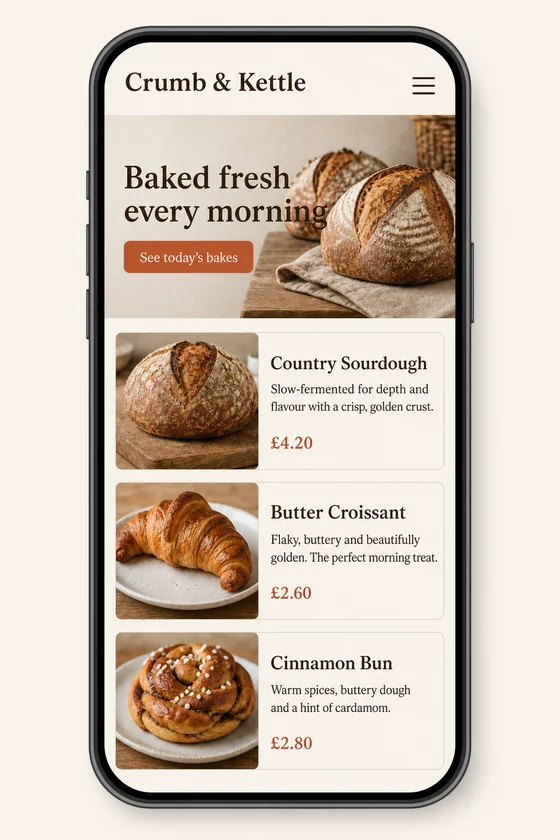
File: PNG mock-up, about 1.5 megapixels. A picture of the design for the client's developer, not HTML code or a Figma file.
Client: Crumb & Kettle, a neighbourhood bakery. Task: show how their homepage should look on a phone, keeping the fonts, colours, button and photos of the desktop site.
The client and all details are made up.
On Squarespace 7.1 templates mostly differ by their starting layout and styles, so your homepage can take almost any look through sections, fonts and colour themes, and the hard part is deciding what that look should be. Upload a screenshot of your Squarespace site or a template you like, and we draw a new homepage in that style, with a full-width image hero, an intro, services or shop items, a gallery, a newsletter block and footer, as a PNG picture rather than a template, a site to duplicate or CSS code. Each picture is made from one of your screenshots at about 1.5 megapixels in its shape, wide from a desktop capture and tall from a phone one.
Up to 5 sharp screenshots as PNG, JPEG or WebP (no PDF), one screen each: your Squarespace site, a page of it on a phone or a template you like. Tell us what the homepage should lead with, the sections in order and the headings and buttons exactly as they should read, or ask for placeholder text. If you send fewer screenshots than your package has, the extra pictures are further variants from the same file. Use only photos and screenshots you have the right to use; we don't recreate certificates or official documents.
We will ask you:
| Packages | Basic1 homepage screen$10 | Standard3 mock-ups$22 | Premium5 mock-ups$39 |
|---|---|---|---|
| Deadline | 1 day | 1 day | 2 days |
| Revisions | 1 | 2 | 3 |
| Mock-ups | 1 | 3 | 5 |
| Format | PNG | PNG | PNG |
| Screens | your choice | your choice | your choice |
| Order Basic | Order Standard | Order Premium |
You pay when you order, but the money is released only for accepted work.
No. You get PNG pictures, not a template, a duplicated site, a section file or custom CSS, and we never log in to your Squarespace account. You rebuild the look in the editor with sections, blocks and site styles; check the current options in your Squarespace version.
Not for the mock-up: we work from the screenshot, whatever version it shows. Rebuilding may differ, since older 7.0 templates can have their own layout options, so check your version's settings before you plan the work.
Photos visible in your screenshot can carry over, but they come out close rather than identical, so treat them as stand-ins and place your real photos in Squarespace. Only use photos you have the right to use.
Text is short: your headings and buttons, with placeholder lines for the rest; small text can come out imperfect and Latin-script languages work best. We don't add fake reviews, ratings, press mentions or other brands' logos.
Did not find your answer?
Design Design
 Design
 Design