Payment protectionDetails
- Revisions within the package are free.
- If you do not respond within 3 days of delivery, the work is accepted automatically.
The money is reserved when you pay and released only once you accept the work.
Example result
Landing page design for an online yoga course
5 pictures
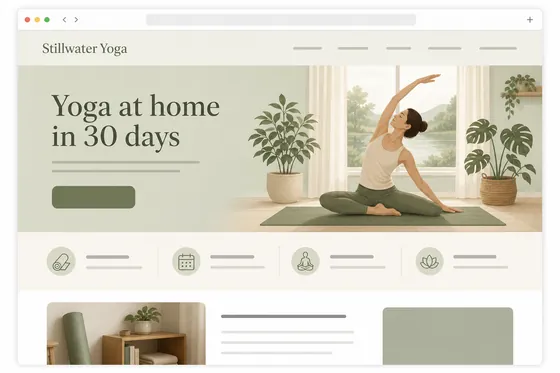
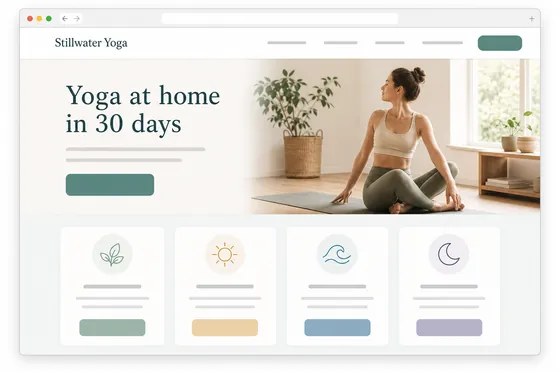
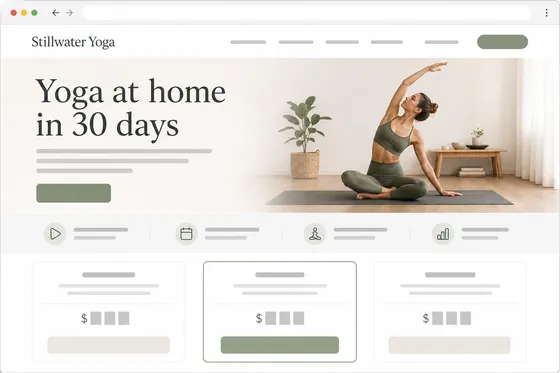
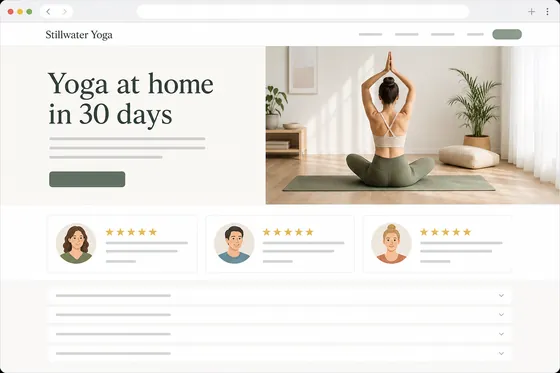
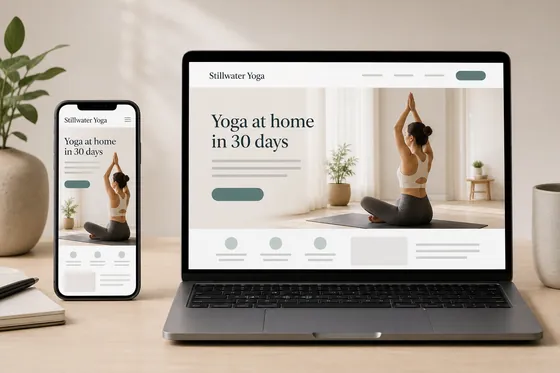
These are mock-up pictures of the page, not a working site; the texts are placeholder lines.
Client: Stillwater Yoga, launching an online course. Task: the design of the course landing page, section by section, and how it looks on a phone and a laptop.
The client and all details are made up.
About this service
A webinar sign-up page is short and urgent: the topic, the date, the speaker and a form, all visible before anyone scrolls. We design the screens of such a page as pictures: a first screen with the webinar title, a date and time badge, a speaker photo frame and a sign-up form, then a "what you will learn" block, a countdown strip and a thank-you screen for after registration. The form fields and the date are shown as placeholders that your webinar tool fills in.
What is included
- What you getMock-up pictures of a webinar sign-up page, one wide screen per picture, with the webinar title and placeholders for the date, form and speaker photo. Delivered as PNG images; a working page, code and Figma or other design files are not included.
- Above-the-fold formSign-up visible without scrolling
- Date badgeDate and time styled as the hook
- Speaker frameA place for the host's photo
- Countdown stripUrgency before the start
- Thank-you screenWhat people see after signing up
How it works
- 1BriefYou share the topic, speaker and date
- 2DesignWe draw the sign-up screens
- 3BuildYou build the page in your webinar tool
What we need from you
The webinar title, the topic in a sentence, the speaker's name and role, the date if you want it styled, your colors and the webinar tool you use.
We will ask you:
- What is the webinar called?
- Who is the speaker?
- Is it live, recorded or a series?
- Which tool hosts the sign-up form?
Compare packages
| Packages | Basic2 first-screen variants$10 | Standard4 screens of the page$20 | Premium8 screens of the page$39 |
|---|---|---|---|
| Deadline | 1 day | 2 days | 3 days |
| Revisions | 1 | 2 | 3 |
| Images | 2 | 4 | 8 |
| Formats | 1 | up to 2 | up to 4 |
| File type | PNG | PNG | PNG |
| Order Basic | Order Standard | Order Premium |
Payment protection
You pay when you order, but the money is released only for accepted work.
- Fixed priceThe package price does not change after you pay.
- The money is reservedWhen you pay, the amount is only reserved. It is released to the service once you accept the work.
- Checked before deliveryEvery result goes through a quality check before it reaches you, and you see it on the order page before accepting it.
- Free revisionsAsk for changes within your brief as many times as the package allows.
- Acceptance after 3 daysIf within 3 days of delivery you neither accept the work nor ask for changes, it is accepted automatically. If you write in the order chat after delivery, the order waits; once we answer, we may start the 3 days again and will say so in the chat.
- Redo or a full refundIf the result does not match your brief and the revisions did not fix it, or the work takes more than twice its deadline, write in the order chat: we will redo the work or refund the payment in full.
Questions and answers
Will the countdown actually count?
No, it is a picture of the block. Your page builder or webinar tool adds a working timer in that place.
Can I reuse the page for the next webinar?
Yes. Because the date and details are placeholders, the same look works for a whole series.
Do you also make social posts for the webinar?
This service is the sign-up page. Promo graphics for social media are a separate offer.