Payment protectionDetails
- Revisions within the package are free.
- If you do not respond within 3 days of delivery, the work is accepted automatically.
The money is reserved when you pay and released only once you accept the work.
Example result
Social media banners for a yoga studio
4 images in 2 formats
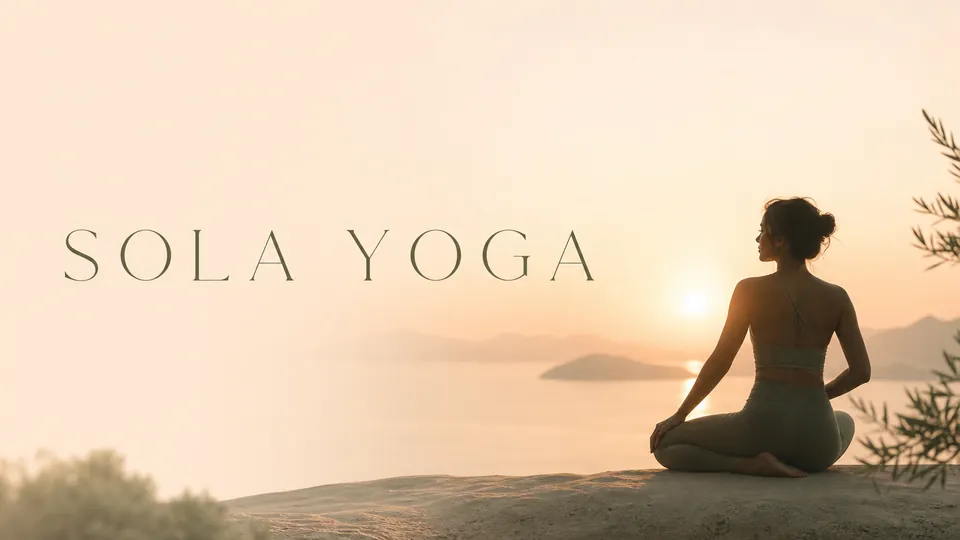
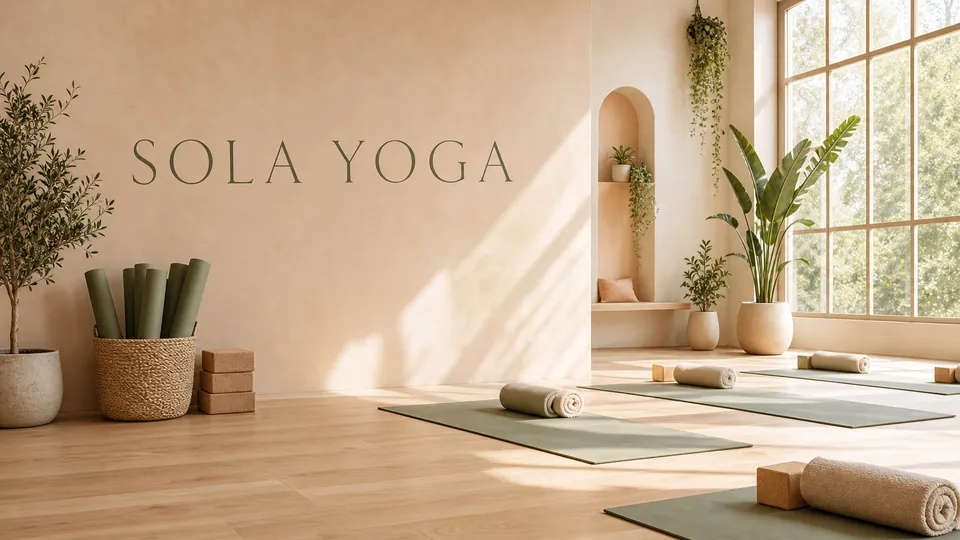
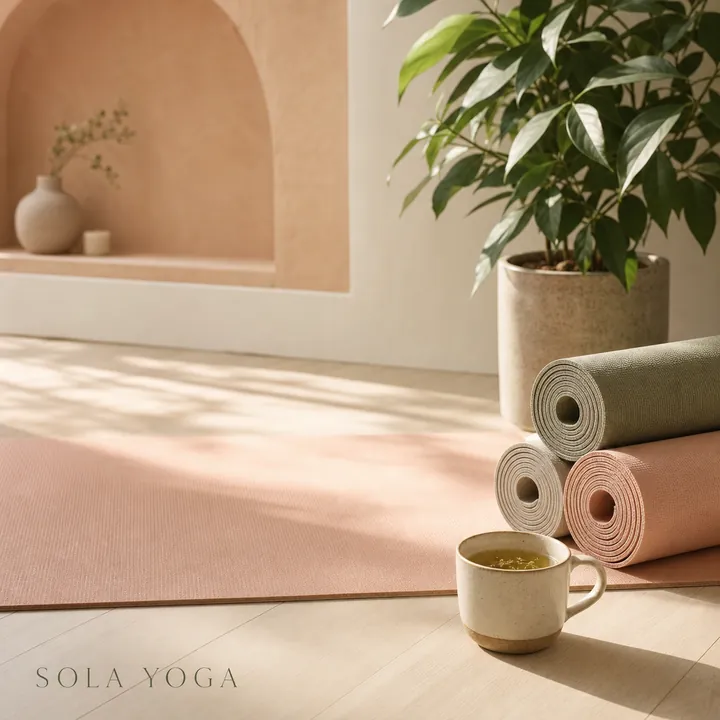
Client: Sola Yoga, a small yoga studio. Task: two wide covers and two square posts in calm peach and sage colors, with the studio’s name.
The client and all details are made up.
About this service
We draw overlay concepts for your stream: the frame around the webcam, the border of the gameplay area, a bar for recent followers or goals and the decorations that give the channel its look, from cozy cottagecore to neon cyberpunk. The webcam and game areas are drawn as plain flat-colour zones, so you see the full layout and can later clear them out in an image editor or hand the concept to whoever builds your OBS scenes. Labels stay at one or two words, and live info like follower names comes from your streaming software.
What is included
- What you getStatic widescreen PNG overlay concepts, one image per layout or variant, with the webcam and gameplay zones marked as flat areas. No animation, transparent cut-outs or OBS scene files.
- Webcam frameShaped to your setup
- Gameplay borderKeeps the game the hero
- Info barsSpaces for goals and recent events
- Channel themeOne look for every scene
How it works
- 1BriefYou describe the setup and the vibe
- 2ConceptsWe draw the overlay layouts
- 3DeliveryYou get PNG layouts to build scenes from
What we need from you
What you stream, where you want the webcam, the channel name, colours and vibe, and which layouts you need.
We will ask you:
- What do you stream?
- Where should the webcam sit and what shape should it be?
- Which layouts do you need?
- What is your channel name and vibe?
Compare packages
| Packages | Basic2 overlay variants$12 | Standard4 images, up to 2 layouts$25 | Premium8 images, up to 4 layouts$45 |
|---|---|---|---|
| Deadline | 1 day | 2 days | 3 days |
| Revisions | 1 | 2 | 3 |
| Images | 2 | 4 | 8 |
| Formats | 1 | up to 2 | up to 4 |
| File type | PNG | PNG | PNG |
| Order Basic | Order Standard | Order Premium |
Payment protection
You pay when you order, but the money is released only for accepted work.
- Fixed priceThe package price does not change after you pay.
- The money is reservedWhen you pay, the amount is only reserved. It is released to the service once you accept the work.
- Checked before deliveryEvery result goes through a quality check before it reaches you, and you see it on the order page before accepting it.
- Free revisionsAsk for changes within your brief as many times as the package allows.
- Acceptance after 3 daysIf within 3 days of delivery you neither accept the work nor ask for changes, it is accepted automatically. If you write in the order chat after delivery, the order waits; once we answer, we may start the 3 days again and will say so in the chat.
- Redo or a full refundIf the result does not match your brief and the revisions did not fix it, or the work takes more than twice its deadline, write in the order chat: we will redo the work or refund the payment in full.
Questions and answers
Can I put the PNG straight into OBS?
Not as is, because the webcam and game areas are filled with flat colour. Remove those areas in any image editor or with a chroma key filter, and the frame is ready to use.
Do you make animated overlays or alerts?
No, these are static concepts. Animated versions need a motion designer or an overlay service.
Will it fit 1920x1080 exactly?
The images are widescreen but not exactly 16:9. Crop or resize them to your canvas in any editor.