 Design
Infographic from your file
Infographic from your table, chart, slide or sketch, or in the style of your sample
Pricefrom $9
The money is reserved when you pay and released only once you accept the work.

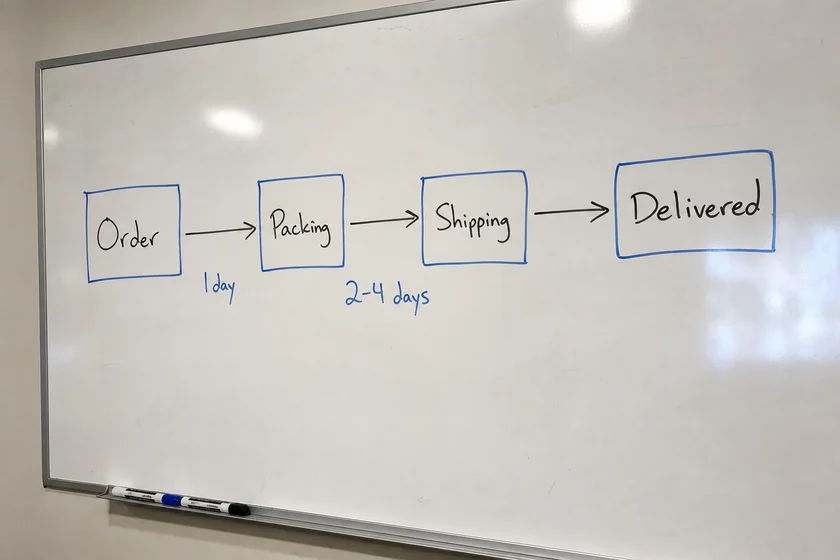
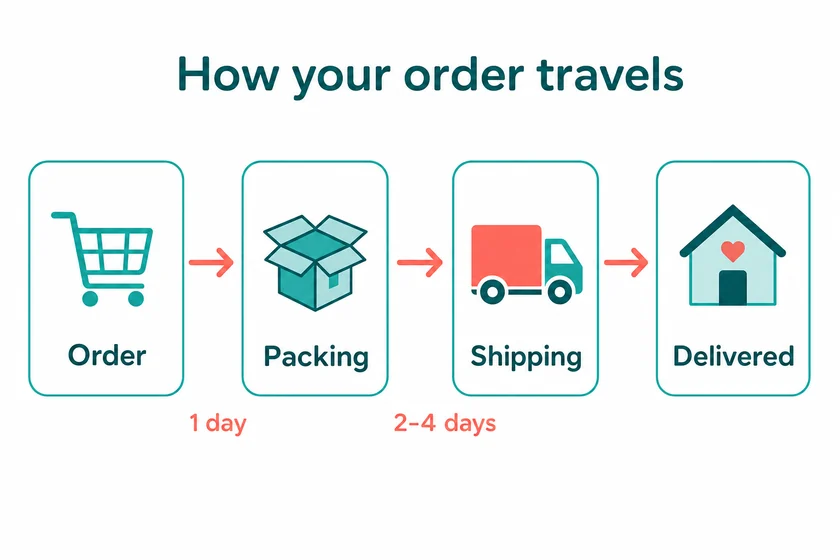
File: PNG, about 1.5 megapixels, in the shape of the upload. The steps and times are the ones on the sketch.
Client: an online store explaining delivery to customers. Task: turn a phone photo of a process sketched on the office whiteboard into a clean infographic for the delivery page.
The client and all details are made up.
In an email newsletter an infographic has to work in a narrow column and make its point before the reader scrolls on, so we make it in your brand look with a short headline, three to six key facts or steps and simple icons or charts, to sit between the text blocks of your email. Upload a screenshot of an earlier newsletter, a header or a brand sample and write the content exactly, and we use only your facts; keep the main message in the email text too, since some email apps hide images until the reader allows them. Each PNG is made from one of your pictures, at about 1.5 megapixels in the shape of that picture, so crop the screenshot to the shape you want; it is redrawn, so small text and logos can shift slightly.
Up to 5 pictures as PNG, JPEG or WebP (no PDF), such as a screenshot of an earlier newsletter cropped to the shape you want, wide or tall. Write the headline and key facts exactly, with numbers and units, and the alt text you plan to use, so the picture and the email text agree.
We will ask you:
| Packages | Basic1 infographic$9 | Standard3 infographics$19 | Premium5 infographics$35 |
|---|---|---|---|
| Deadline | 1 day | 1 day | 2 days |
| Revisions | 1 | 2 | 3 |
| Pictures | 1 | 3 | 5 |
| Format | PNG | PNG | PNG |
| Text | a title + up to 10 short blocks | a title + up to 10 short blocks | a title + up to 10 short blocks |
| Order Basic | Order Standard | Order Premium |
You pay when you order, but the money is released only for accepted work.
A PNG of about 1.5 megapixels can be larger than an email needs; many email platforms resize or compress images on upload, and if yours doesn't, you can save a smaller copy in any image editor. Check your platform's current recommendations on image width and file size.
Some email apps don't show images until the reader allows them, and screen readers rely on the alt text, so a newsletter that is only a picture can lose its message. Use the infographic to support the text, and write alt text that sums it up.
A title and up to about 8-10 short blocks, and in an email column less is better: a headline and three to six facts. Small print and complex scripts can come out imperfect, Latin-script languages work best and charts are illustrative, so check every word and number; the PNG has no editable layers.
Your own newsletters and brand files, or ones you have the right to use; another company's newsletter serves only as a style sample, never for its logo, brand or texts. We don't add other brands' logos, fake reviews, ratings or awards, and we never recreate receipts, invoices, certificates or official forms. Money or health tips in the issue stay your content and responsibility.
Did not find your answer?
Design Design
 Design
 Design