 Design
Tour brochure pages
Tour brochure in your template
Pricefrom $10
The money is reserved when you pay and released only once you accept the work.


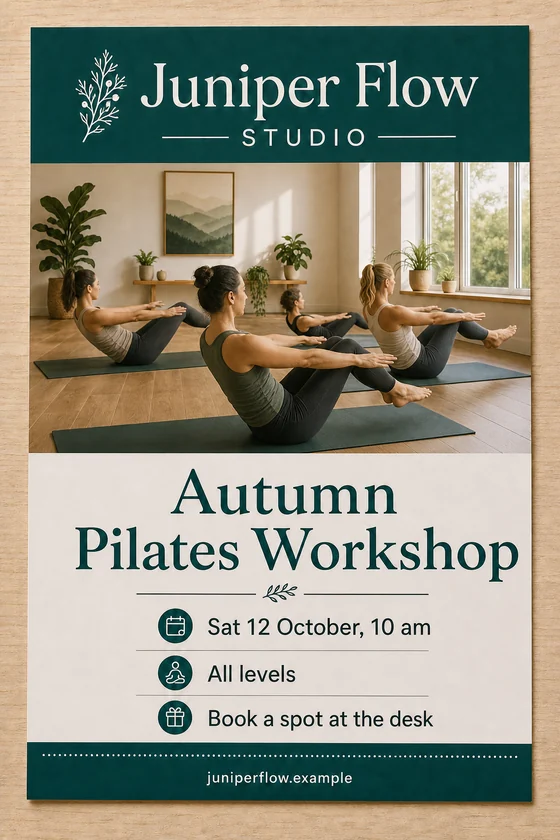
File: PNG mock-up, about 1.5 megapixels. To print it, a print-ready file is made from the mock-up.
Client: Juniper Flow Studio. Task: a flyer for an autumn workshop in exactly the same template as their summer one, with new dates and a new photo.
The client and all details are made up.
People choosing a course compare the same few things, namely what they will learn, the level, length, schedule, format and fee, so each course entry needs the same structure on every page. Upload a photo or screenshot of a page from your current course catalog or school brand template, and we lay out pages for a new term or new courses with those details from your brief, keeping your colours, headings and course card style. Each PNG mock-up is made from one of your uploaded pages, in the same shape and at about 1.5 megapixels: fine for screens, emails and a print-shop preview, not for large prints.
Up to 5 photos or screenshots of your catalog pages or template as PNG, JPEG or WebP (no PDF), flat and complete. For each page, send the course details exactly as they should read, about 2-3 courses with title, level, length, start date and fee, up to about 8-10 short blocks in all; send only files you have the right to use, and another school's catalog is used only for its style, never its logo, brand or texts.
We will ask you:
| Packages | Basic1 course page$10 | Standard3 course pages$22 | Premium5 course pages$39 |
|---|---|---|---|
| Deadline | 1 day | 1 day | 2 days |
| Revisions | 1 | 2 | 3 |
| Mock-ups | 1 | 3 | 5 |
| Format | PNG | PNG | PNG |
| Template | yours | yours | yours |
| Order Basic | Order Standard | Order Premium |
You pay when you order, but the money is released only for accepted work.
Only a short one. A page holds about 8-10 short blocks, so each course gets a title and a few key facts, not a syllabus. Put the full description on your website, check every date and fee in the picture, and expect the cleanest text in Latin-script languages.
We never recreate certificates, diplomas, accreditation marks or official forms, and we don't invent ratings, reviews or student results. You can name a real accreditation as a short line you provide, and you are responsible for that claim; every page keeps a full background.
No, we don't draw other brands' or organisations' logos. Your own logo stays, though in the redrawn picture it can change slightly; if partners must appear, your print shop can add their official logos later.
With 2-3 courses per page, the 5-page package covers about 10-15 courses or one or two subject areas. For the full catalog, order in parts by subject and send the same sample each time so the pages match.
Did not find your answer?
Design Design
 Design
 Design