 Design
Company news email
A company news email in HTML: your updates as short blocks with pictures, ready for your mailing service
Pricefrom $16
The money is reserved when you pay and released only once you accept the work.
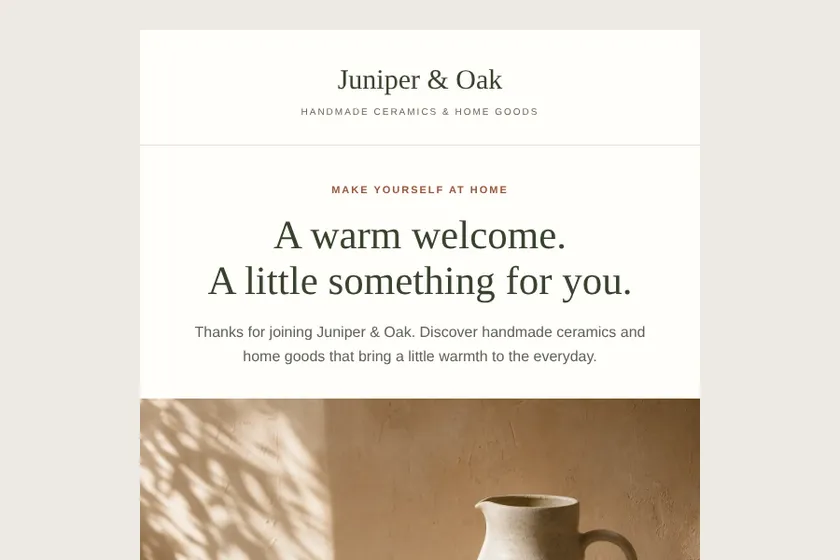
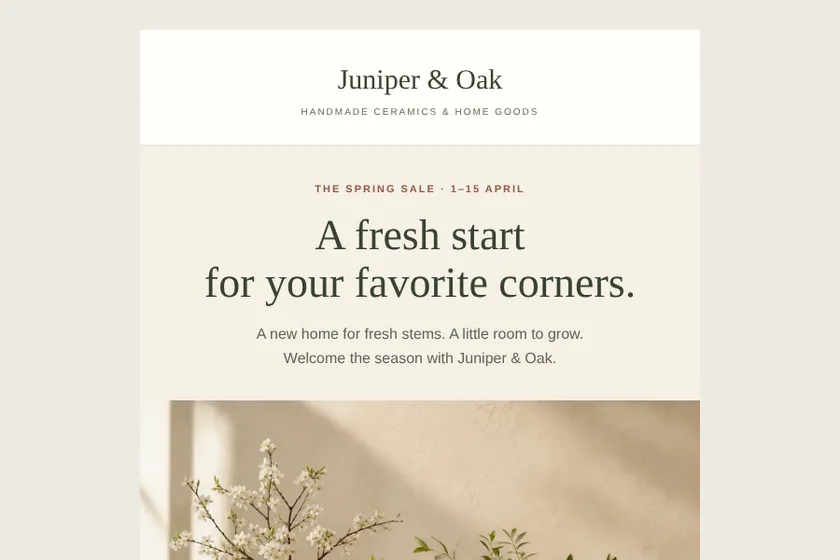
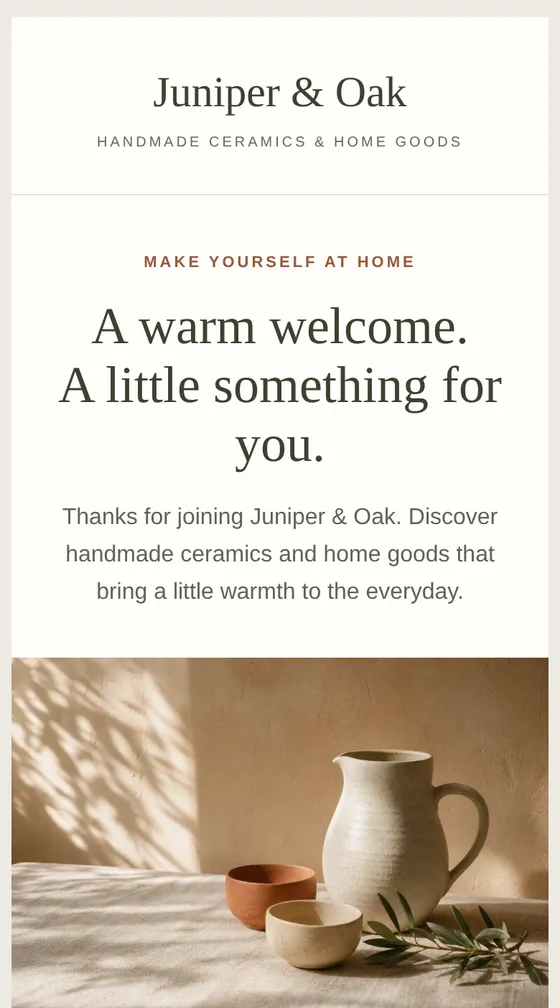
Files: a ZIP archive with 2 HTML emails built for email programs, with inline styles and an unsubscribe link, and 3 pictures drawn for them, ready to import into the client's mailing service. The pictures here are screenshots of the emails.
Client: Juniper & Oak, a small online shop of handmade ceramics and home goods. Task: two emails for their mailing service: a welcome email with 10% off the first order and a spring sale email with 20% off vases and planters, in sand, terracotta and olive.
The client and all details are made up.
A promo email has a few seconds to make its point, so the offer goes first: what is on sale, by how much, until when, and one button to the right page. We write and build it from your brief: a strong headline, the terms in plain words, a few products or services with the prices you give, a promo code if there is one and a footer with your details and an unsubscribe link placeholder. The layout is tables 600 px wide with inline styles, one column on phones. We never invent discounts, deadlines or stock levels. Email programs do not run countdown timers, so the end date is written in the text. We do not send the email.
The offer and its exact terms: what is discounted, by how much, the start and end dates, the promo code and any conditions such as a minimum order. Names and prices of the products or services to show, the page each button should open, and the sender's details for the footer exactly as they should appear. Optionally up to 5 pictures as PNG, JPEG or WebP: your logo and product photos you have the right to use.
We will ask you:
| Packages | Basic1 promo email$17 | StandardOffer and reminder$31 | Premium4 emails for a sale$52 |
|---|---|---|---|
| Deadline | 1 day | 2 days | 2 days |
| Revisions | 1 | 2 | 3 |
| Emails | 1 | 2 | 4 |
| Pictures drawn for the emails | 2 | 3 | 4 |
| Phone version | Yes | Yes | Yes |
| Unsubscribe link | Yes | Yes | Yes |
| Order Basic | Order Standard | Order Premium |
You pay when you order, but the money is released only for accepted work.
Not a live one: email programs do not run scripts. The end date and time go in the headline or next to the button, and the reminder email in the larger packages repeats them.
Only the prices you write in the brief: the email is not linked to your shop, so prices are fixed text. If they change before sending, edit them in the HTML or ask for a revision.
The email only shows the code. You create it in your shop and make sure its terms match what the email says.
No email can be guaranteed a place in the inbox: that depends on your sending history and your service. We keep a sensible balance of text and pictures, give every picture alt text and add a preview line, so the email reads well wherever it lands.
No. Sending, your subscriber list and your mailing service account stay with you, and the unsubscribe link placeholder is replaced with your service's own link.
Did not find your answer?
Design Design
 Design
 Design