Payment protectionDetails
- Revisions within the package are free.
- If you do not respond within 3 days of delivery, the work is accepted automatically.
The money is reserved when you pay and released only once you accept the work.

Example result
Welcome and spring sale emails for a ceramics shop
The two emails
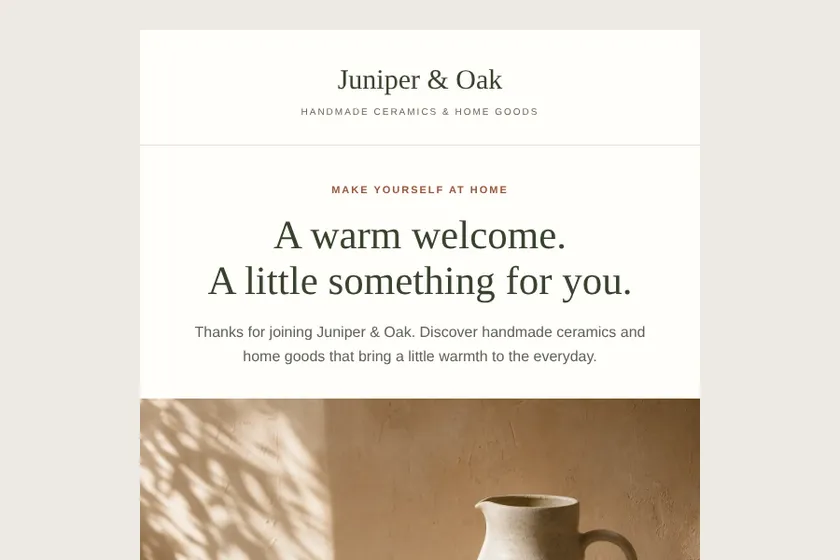
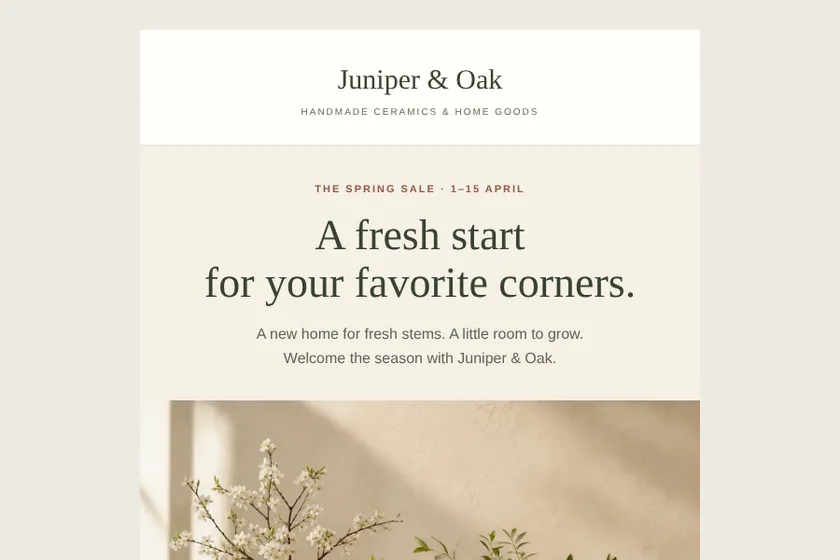
The welcome email on a phone
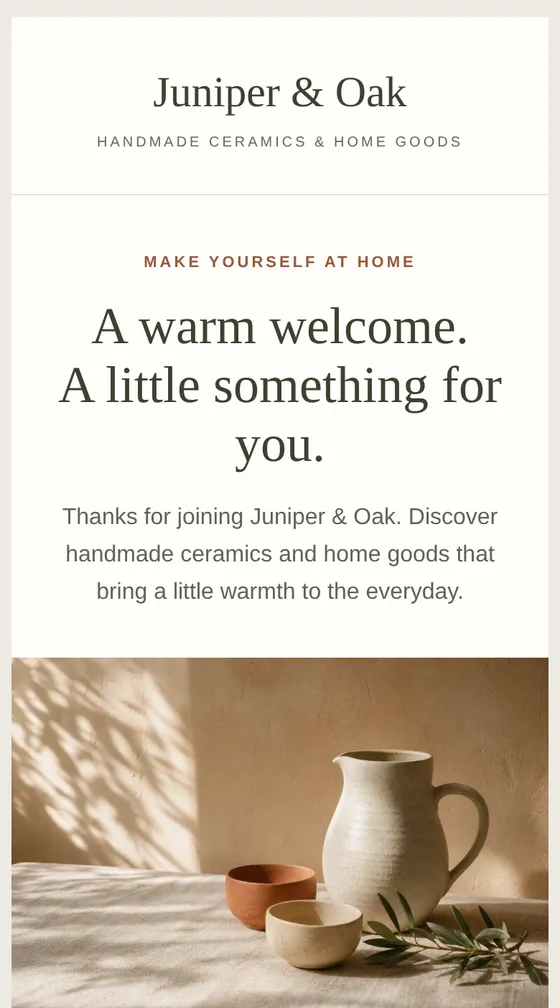
Files: a ZIP archive with 2 HTML emails built for email programs, with inline styles and an unsubscribe link, and 3 pictures drawn for them, ready to import into the client's mailing service. The pictures here are screenshots of the emails.
Client: Juniper & Oak, a small online shop of handmade ceramics and home goods. Task: two emails for their mailing service: a welcome email with 10% off the first order and a spring sale email with 20% off vases and planters, in sand, terracotta and olive.
The client and all details are made up.
About this service
An order confirmation is read carefully, so it must be clear: thank you, the order number, what was ordered, the total, the delivery address and what happens next. We build it as a template with marked placeholders for each of these, an item row that your shop repeats for every product, and blocks on delivery, returns and contacts written from your brief. You replace the placeholders with your shop's or service's own tags, and your shop fills them in and sends the email after each order. We do not connect to your shop or payment system and do not send anything. Tables 600 px wide, one column on phones, a footer with your details.
What is included
- What you getA ZIP archive with the HTML template of each order email and its pictures, and a preview with a sample order on the order page.
- Order tableOrder number, items, quantities, prices and total as placeholders
- Delivery and next stepsAddress, expected timing and a tracking button as placeholders
- Help and returnsYour returns terms and contacts, written from your brief
- Built for email programsTables and inline styles, 600 px wide, one column on phones
- Footer and unsubscribe linkYour details and a link placeholder you point to your service's link or remove
How it works
- 1BriefYou say which shop sends the emails and how orders are delivered and returned
- 2Templates and previewWe write the texts, draw the pictures and build the templates, shown with a sample order
- 3ArchiveYou download the archive, put your shop's tags in place of the placeholders and ask for changes within your package
What we need from you
Which shop platform or service will send it and, if you have them, its tags for the order number, items, total and address. Your delivery methods and usual times, returns terms, how customers can reach you, and the sender's details for the footer exactly as they should appear, including any company details you want shown on order emails. Optionally up to 5 pictures as PNG, JPEG or WebP: your logo and a few product photos for the preview.
We will ask you:
- Which shop or service sends it?
- What happens after the order?
- Returns and help
- Sender's details for the footer
Compare packages
| Packages | Basic1 order confirmation$16 | StandardConfirmation and shipping$29 | Premium4 order emails$49 |
|---|---|---|---|
| Deadline | 1 day | 2 days | 2 days |
| Revisions | 1 | 2 | 3 |
| Emails | 1 | 2 | 4 |
| Pictures drawn for the emails | 2 | 3 | 4 |
| Phone version | Yes | Yes | Yes |
| Unsubscribe link | Yes | Yes | Yes |
| Order details table | Yes | Yes | Yes |
| Order Basic | Order Standard | Order Premium |
Payment protection
You pay when you order, but the money is released only for accepted work.
- Fixed priceThe package price does not change after you pay.
- The money is reservedWhen you pay, the amount is only reserved. It is released to the service once you accept the work.
- Checked before deliveryEvery result goes through a quality check before it reaches you, and you see it on the order page before accepting it.
- Free revisionsAsk for changes within your brief as many times as the package allows.
- Acceptance after 3 daysIf within 3 days of delivery you neither accept the work nor ask for changes, it is accepted automatically. If you write in the order chat after delivery, the order waits; once we answer, we may start the 3 days again and will say so in the chat.
- Redo or a full refundIf the result does not match your brief and the revisions did not fix it, or the work takes more than twice its deadline, write in the order chat: we will redo the work or refund the payment in full.
Questions and answers
Will each customer see their own order?
Yes, once you put your shop's tags in place of the marked placeholders: your shop then fills in the number, items, total and address for every order. We do not connect anything ourselves.
Can it serve as an invoice or receipt?
No. It is a confirmation email, not an invoice, receipt or tax document; if you need those, your shop, payment or accounting system issues them. We do not make invoices or receipts.
Does an order email need an unsubscribe link?
Order emails are usually treated as service messages, and many services do not require one in them. The footer has a placeholder that you point to your service's link or remove; check your service's rules.
Who sends it after each order?
Your shop or its email service, once you upload the template there. We make the email only and do not log in to your accounts.
Can it show other products under the order?
Yes, a small block of products with the names, prices and links you give. We keep it short and below the order, so the order details come first.
Did not find your answer?