Infographics for a product listing: what to put on each picture

After the main photo, a buyer swipes through the rest of the listing's pictures, and most of them never read the description. That is why sellers add infographics: product pictures with short captions that answer the main questions at a glance. Here is what to put on each picture and how to keep it readable.
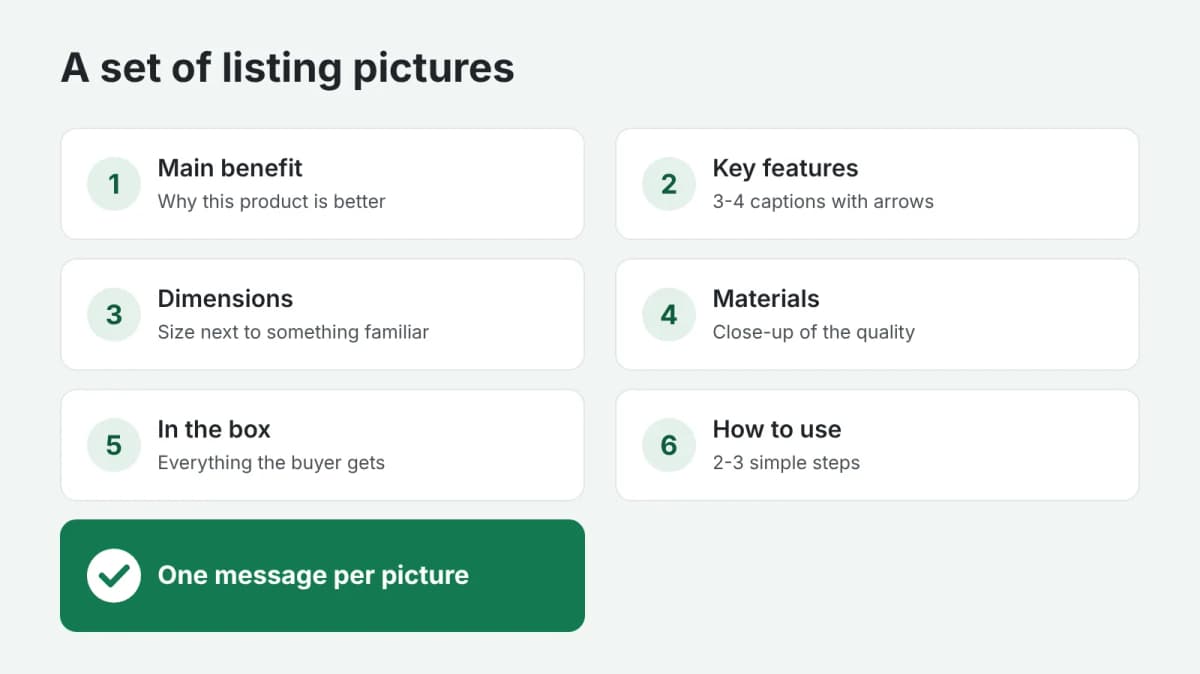
One picture, one message
The most common mistake is putting everything on one picture: ten benefits, the dimensions and a guarantee badge. On a phone screen this turns into small print nobody reads. Give each picture one job, with a short headline and two or three captions at most.
A set that works for most products
- The main benefit. Why this product is better than the others: "Keeps drinks cold for 24 hours".
- Key features. Three or four short captions with arrows pointing to the parts of the product.
- Dimensions. The product with its size marked, ideally next to something familiar, like a hand or a phone.
- Materials and quality. A close-up of the fabric, the stitching, the surface.
- What is in the box. Everything the buyer gets, laid out neatly.
- How to use it. Two or three steps, or the product in use.
- Comparison or guarantee. Why choose this one: a simple comparison, a warranty, care instructions.
You do not have to use all seven. Start with the questions buyers actually ask: look at the questions and reviews on your listing and on your competitors' listings.
Rules for captions
- Short. Three to six words per line. "Waterproof to 30 m" works better than a full sentence.
- Large. The text must be readable on a phone without zooming in.
- Contrast. Dark text on a light background or the reverse; never text over a busy part of the photo.
- Facts, not adjectives. "500 ml" and "2-year warranty" convince more than "premium quality".
- One style for the whole set: the same fonts, colors and layout, so the listing looks like one brand.
- The language of the buyers. If you sell in several countries, make a version for each language.
What to check before uploading
- Every number and claim on the picture matches the real product and the description.
- The marketplace allows text on additional images in your category. Most do, but the main image usually stays clean.
- Nothing important sits at the edges, where some apps crop the picture.
In short
A set of five to seven pictures, each answering one buyer question with a few large words, does more than the longest description. If you have a photo of your product and a list of its features, order product pictures with captions: you send the photo and the facts, and get pictures with benefits, dimensions or the contents of the box. Payment is released only after you approve the work.