 Design
Product launch email
New product announcement email in your style
Pricefrom $10
The money is reserved when you pay and released only once you accept the work.
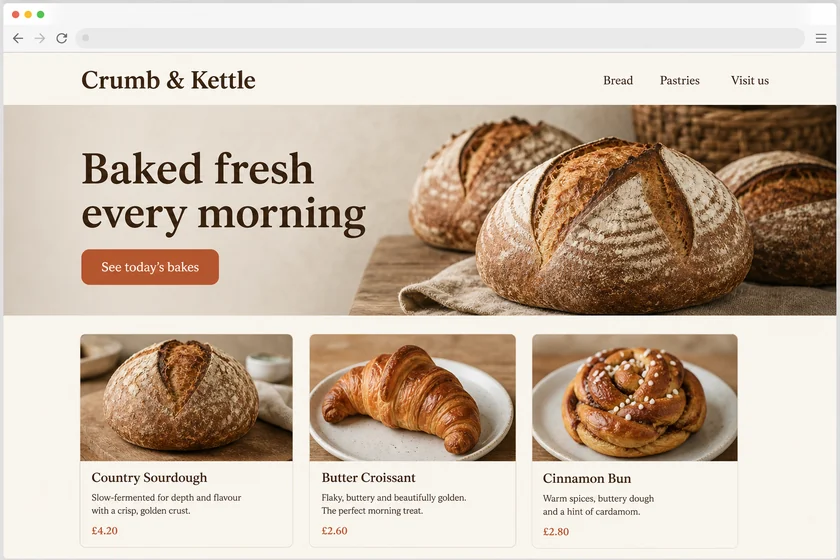
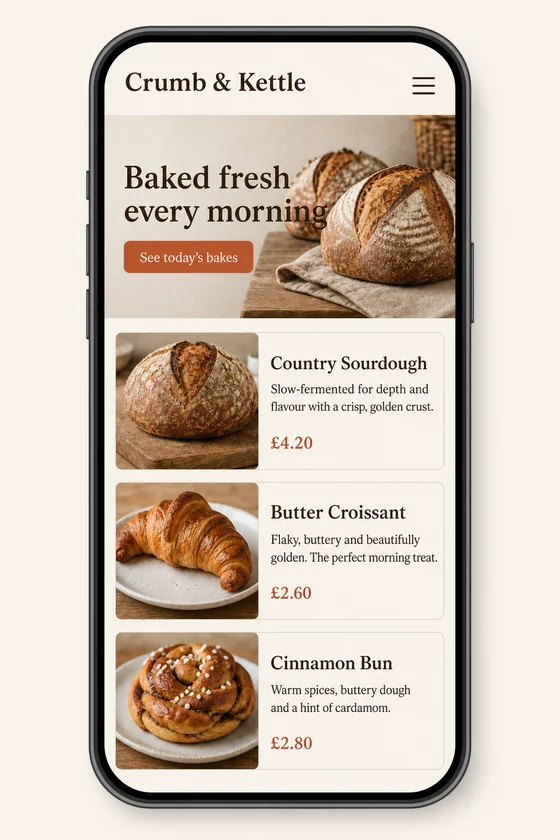
File: PNG mock-up, about 1.5 megapixels. A picture of the design for the client's developer, not HTML code or a Figma file.
Client: Crumb & Kettle, a neighbourhood bakery. Task: show how their homepage should look on a phone, keeping the fonts, colours, button and photos of the desktop site.
The client and all details are made up.
A review or survey request works best when it is short and easy: a thank-you for the order or visit, one clear question such as "How did we do?", a row of tappable stars or a single button to the survey, and a line on how long it takes. We draw this email in the style of your existing emails, with the rating row or survey button, the product or service it refers to and a friendly sign-off, but never with filled-in reviews or scores. Each picture is made from one of your screenshots as an upright 2:3 PNG mock-up of about 1.5 megapixels, like an email opened on a phone, whatever the shape of the upload; it is a picture, not HTML code, a survey form or an email template.
Up to 5 sharp screenshots of your emails as PNG, JPEG or WebP (no PDF), from files you have the right to use, or a sample used only for its style. Send the question, the product or service named, how long the survey takes and the button labels exactly as they should read.
We will ask you:
| Packages | Basic1 email$10 | Standard3 emails$22 | Premium5 emails$39 |
|---|---|---|---|
| Deadline | 1 day | 1 day | 2 days |
| Revisions | 1 | 2 | 3 |
| Mock-ups | 1 | 3 | 5 |
| Format | PNG | PNG | PNG |
| Screens | your choice | your choice | your choice |
| Order Basic | Order Standard | Order Premium |
You pay when you order, but the money is released only for accepted work.
No. We never write or show fake reviews, ratings, testimonials or awards; the stars in the email are empty for your customer to tap. Check the review rules of the sites where you collect reviews, since some limit rewards for reviews.
We don't draw other brands' logos, so the review site appears as plain text, such as "Leave a review on Google". We also never change documents, certificates or official forms. Your own logo is fine, though in the redrawn picture it can change slightly.
No, it is a PNG picture, not HTML code, a Figma file, a working survey or a template for your email or survey tool, and we change nothing in your accounts. Your developer links each star or button to your survey. Every picture is an upright 2:3 picture like an email on a phone; check every word, since small text can come out imperfect and Latin-script text works best.
Did not find your answer?
Design Design
 Design
 Design