How to write instructions people understand the first time
Customers write to support, new employees ask the same questions, and a task done "according to the instructions" still goes wrong. Usually the instruction itself is to blame: written by someone who knows the task too well to see where a newcomer gets lost. Here are seven rules that make instructions work the first time, whether it is a user guide, a help center article or a work procedure.
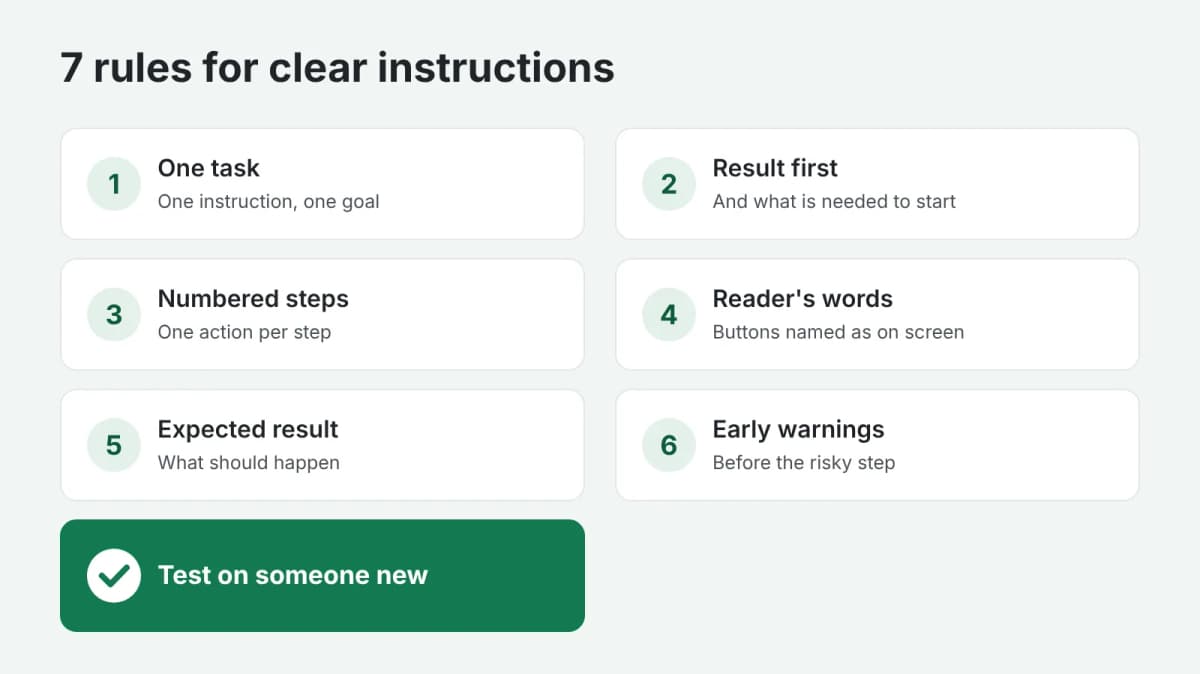
1. One task per instruction
"How to set up your account" is too broad. "How to change your password" and "How to add a team member" are two separate instructions. A reader looks for one task, finds it, does it and leaves.
2. Start with the result and what is needed
In the first two lines say what the reader will achieve and what they need before starting: access rights, a file, a password, ten minutes of time. Nothing is more frustrating than discovering at step 7 that you needed something from the start.
3. Numbered steps, one action each
Each step is one action, starting with a verb: "Open Settings", "Click Save". If a step has "and then" in it, it is two steps. Numbers let the reader keep their place and let support say "see step 4".
4. The reader's words, not yours
Write the names of buttons and menus exactly as the reader sees them on the screen. Avoid internal jargon and abbreviations; if a term is unavoidable, explain it the first time.
5. Show what should happen
After an important step, describe the result: "A green message appears: Saved". The reader knows they are on the right track, and notices at once when something goes wrong.
6. Warnings before the step, not after
"Before you click Delete, export your data: deleted data cannot be restored." A warning placed after the step arrives too late.
7. Test it on someone new
Give the instruction to a person who has never done the task, and watch without helping. Every place where they hesitate, ask or make a mistake is a place to rewrite. Five minutes of testing finds more problems than an hour of rereading.
Pictures and structure
- Screenshots for steps on a screen, with the right button marked; update them when the interface changes.
- Headings for long procedures, so the reader can jump to the part they need.
- A "What if" section at the end for common problems: "If you did not receive the email, check the spam folder".
In short
One task, the result and requirements first, numbered one-action steps, the reader's words, the expected result, warnings in time, and a test on a real person. If you need a guide, a set of help articles or work procedures written, order user guides and SOPs: you describe the product or process, and get clear, structured instructions. Payment is released only after you approve the work.