Keyword research for a website: a 5-step guide

Keyword research is a list of the search queries people use to look for what you sell or write about, grouped by the pages of your site. Without it a site grows at random: some pages compete with each other for the same query, and important topics get no page at all.
Here is what keyword research consists of, how it is done and what to do with the result.
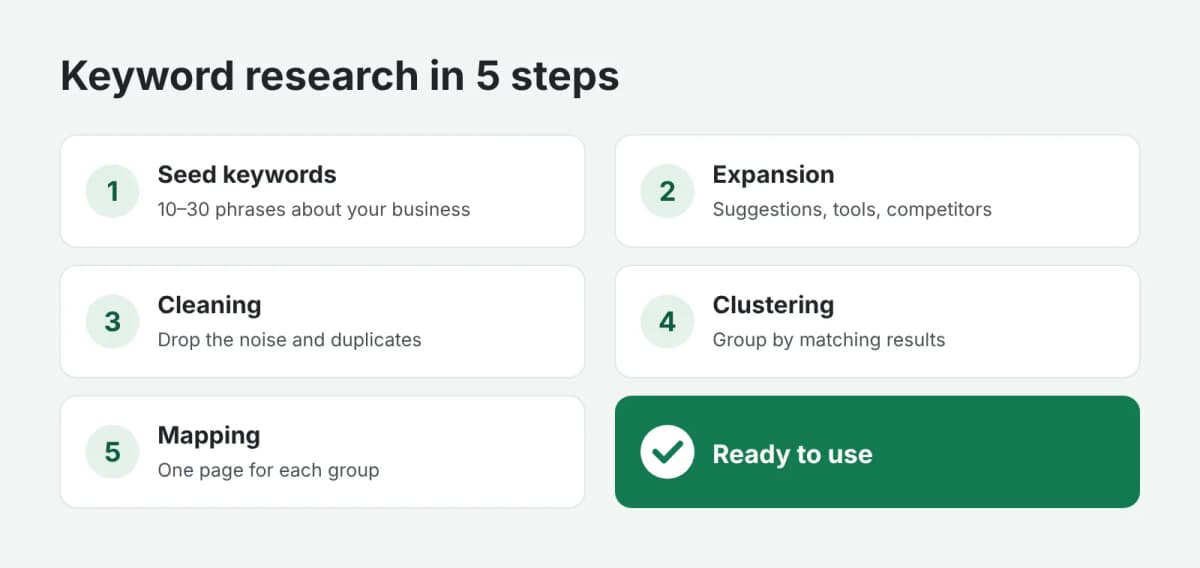
Why you need keyword research
Good keyword research answers three questions:
- which pages your site needs: each group of queries becomes its own page, whether a category, a service or an article;
- what to write on each page: a group shows the words people use to describe their problem;
- where to start: queries differ in search volume and competition, so you can start where results come faster.
You do the research once and then extend it: when you launch a new section or product, or every six months.
Step 1. Seed keywords
Start with 10–30 short phrases that describe your business: product and service names, their synonyms, the problems your customers solve. For a bike shop that might be "mountain bike", "kids bike", "bike repair", "how to choose a bike".
Your customers are a great source: look at how they phrase their needs in emails, calls and reviews. It is often quite different from what the company calls its products.
Step 2. Expansion
Each seed phrase is expanded into hundreds of variations using keyword tools, search suggestions, the "People also search for" block and competitors' pages. That is where the long-tail queries appear: "mountain bike for beginners", "29 inch mountain bike", "mountain bike under $500".
Step 3. Cleaning
A raw list always has a lot of noise. Remove:
- off-topic queries and other brands' names, unless you sell them;
- queries about what you do not offer: another city, another product type;
- duplicates and queries with zero search volume.
After cleaning you usually keep between a third and a half of the original list.
Step 4. Clustering
The most important step is grouping. Queries go into one group if search engines show the same pages for them. That means people are looking for the same thing in different words, and one page should answer them.
For example, "how to choose a mountain bike" and "best mountain bike for a beginner" almost always land in one group. "Buy mountain bike" lands in another: it is a query for a catalog page, not an article.
Step 5. Mapping to pages
Each group gets a page, existing or new. A table is the easiest way to keep it all together:
| Group | Sample queries | Page | Type |
|---|---|---|---|
| Mountain bikes | buy mountain bike, price | /catalog/mtb | Category |
| Choosing a mountain bike | how to choose a mountain bike, for beginners | /blog/choosing-an-mtb | Article |
| Repair | bike repair, chain replacement | /service/repair | Service |
The table becomes your work plan right away: which pages are missing and which need improving.
How to use the finished research
- For site structure. New groups are candidates for new sections and categories.
- For copy. A group of queries is a ready base for a brief: a main query plus supporting phrases. We covered how to write such a brief in "How to write an SEO article brief".
- For a content plan. Informational queries ("how", "what", "why") turn into blog topics.
- For priorities. Start with groups that have high demand and a page that only needs improving.
Common mistakes
- One page for everything. A homepage built around a hundred different queries will not rank well for any of them.
- Two pages for one query. The pages start competing, and search engines show one, then the other.
- A list without groups. A long list of queries with no page mapping is almost impossible to work with.
In short
Keyword research is a map of your site as search sees it: which pages you need, what to put on them and where to start. If you would rather not collect and group thousands of queries by hand, order keyword research grouped by the pages of your site. You get a ready table, and payment is released only after you approve the work.